ReplyDesk
Ground each reply in docs
Select the relevant Notion pages, paste the ticket, and keep the answer tied to the source material instead of generic chat.
Paste a ticket. Get a grounded reply.
Paste a ticket, pick the right Notion notes, and ReplyDesk drafts a response with citations, tone variants, and a clear escalation note before you hit send.
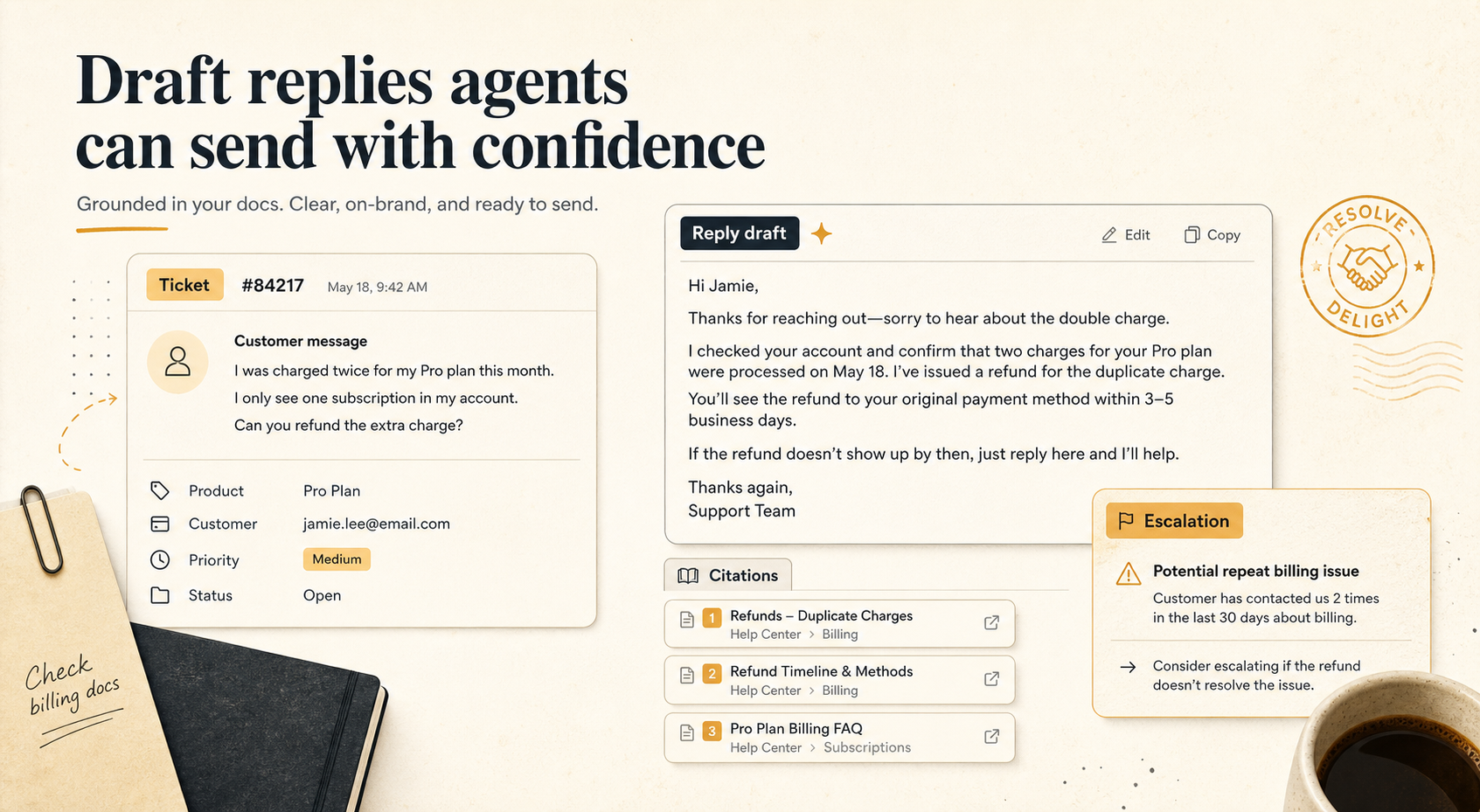
Citations
Visible beside the reply
Tone
Calm, warm, or firm
Escalation
One clear next step
Three-step flow
Support leads keep the docs, the tone, and the decision trail in one place so their team can answer faster without sounding generic.
01
Drop in the customer note or support thread and keep the raw question intact.
02
Choose the Notion pages that matter, then add any extra notes or edge-case rules.
03
ReplyDesk returns the draft, citations, and escalation note so the team can answer without guessing.
Output preview
Customer-ready reply
Thanks for the clear note. I checked the billing policy and the setup checklist. Based on those notes, the renewal is only refundable inside the documented window, so I can’t promise a refund outside policy.
Tone variant
Warm and reassuring
Escalation
Escalate if the renewal date is disputed.
What it keeps visible
Each draft keeps the doc trail close so support leads can skim, edit, and send without hunting through tabs.
ReplyDesk
Select the relevant Notion pages, paste the ticket, and keep the answer tied to the source material instead of generic chat.
ReplyDesk
Generate calm, warm, or policy-first drafts without rewriting the same answer three times.
ReplyDesk
Every draft includes an escalation note so your team knows when to answer, when to clarify, and when to pass it on.
ReplyDesk
Draft history keeps the strongest answers around so support leads can reuse and refine them.
Pricing and intent
Start with a limited trial. When the team wants more drafts, the Starter plan keeps ReplyDesk in front of the people who answer tickets every day.
Trial
Enough drafts to prove grounding, show the citation trail, and confirm the tone before anyone commits.
Starter
$29
per team / month
The first paid layer for teams that want grounded reply drafting without a sales call.
FAQ
No. ReplyDesk starts with pasted ticket text and selected doc notes so the first draft is useful before any deeper sync work.
Yes. The generator includes the source snippets you select and returns a citation list beside the reply draft.
ReplyDesk says so directly and includes an escalation suggestion instead of inventing an answer.